
Table of contents
Before you begin
At least one carrier has accepted you as a partner.
Your file is a
.csv,.xlsor.xlsxfile of up to 500 rows and 10 MB. The easiest way is to start from the template (step 3).
Steps
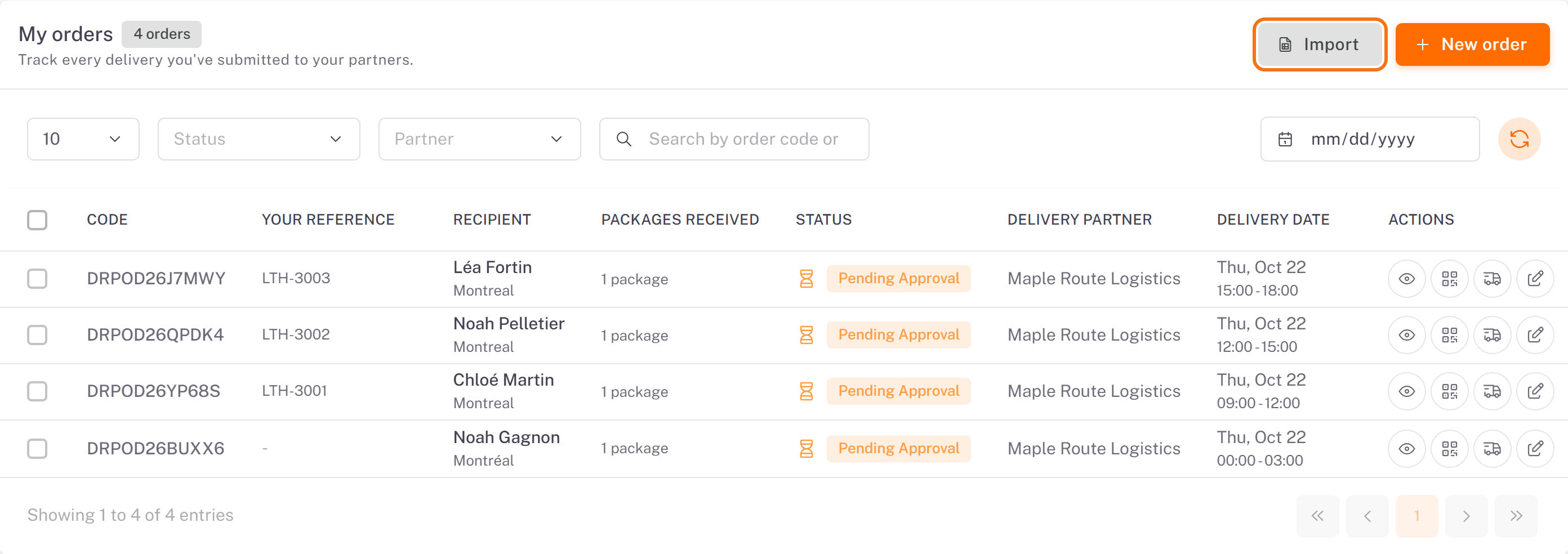
1. In Orders, click Import.
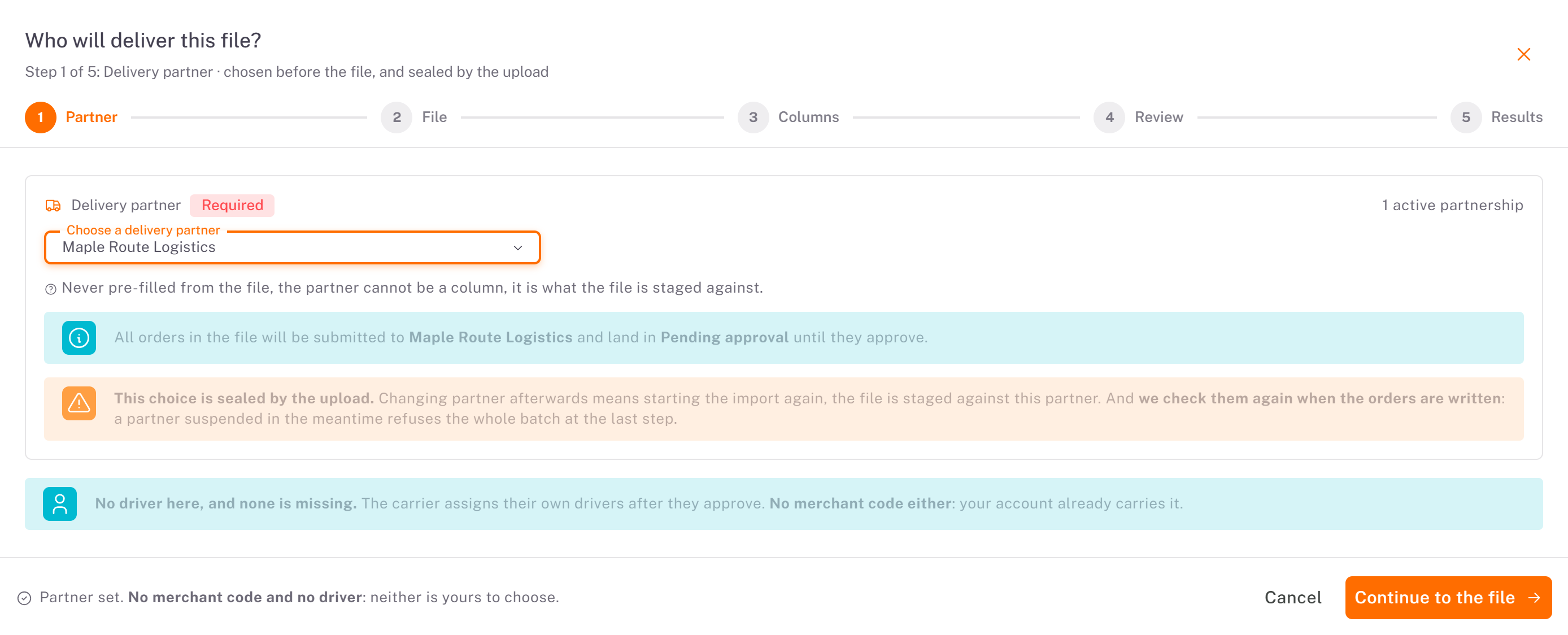
2. Partner: choose the carrier in Choose a delivery partner. Every order of the file goes to that carrier and lands in Pending approval until it approves. The choice is sealed by the upload: to change carrier afterwards, start the import again. You enter no merchant code and no driver. Click Continue to the file.
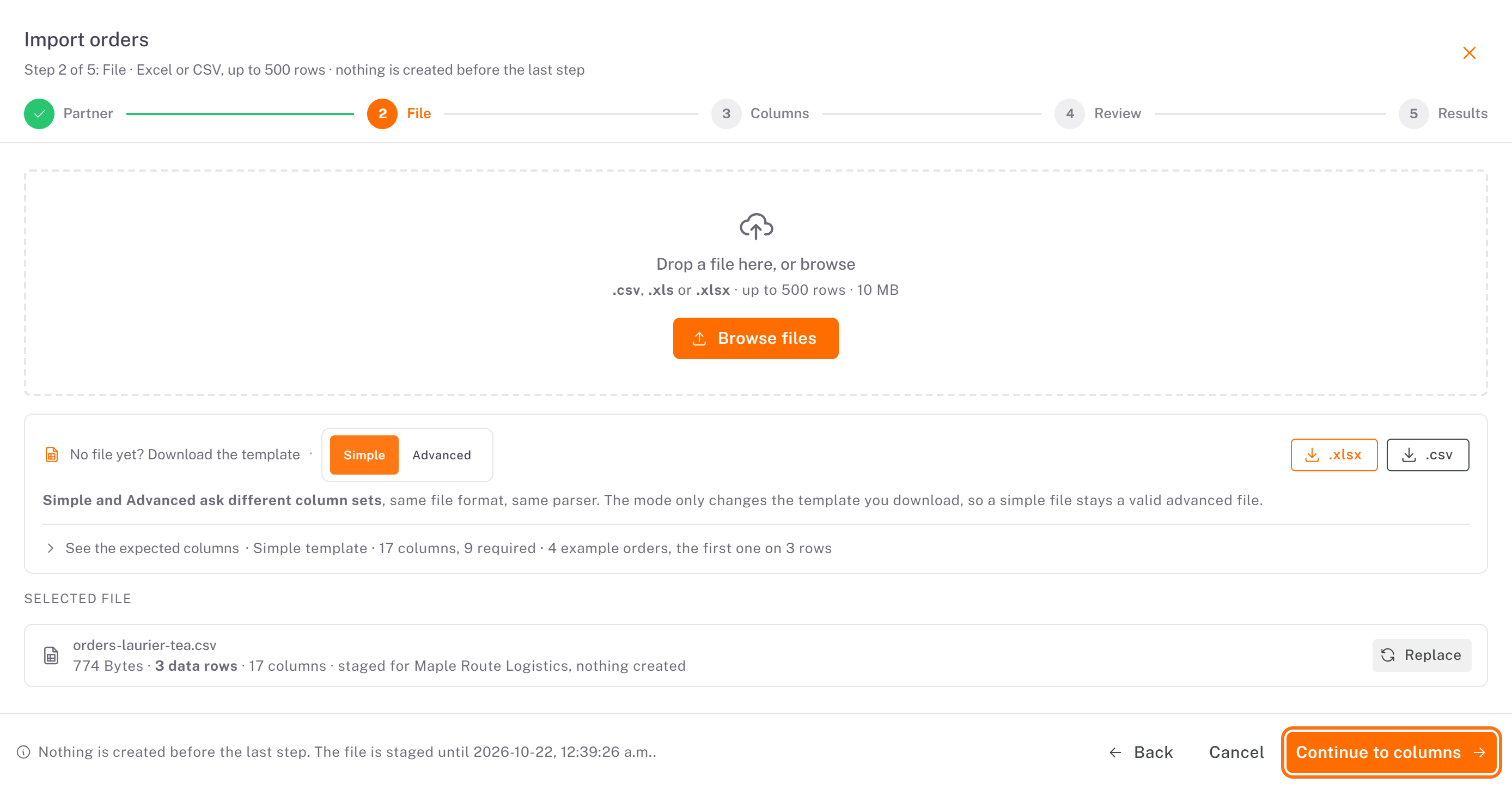
3. File: drop your file on the frame or click Browse files. No file yet? Under No file yet? Download the template, choose Simple or Advanced, then .xlsx or .csv. See the expected columns lists every column, with the required ones marked. The selected file shows its name, size and number of rows. Click Continue to columns.
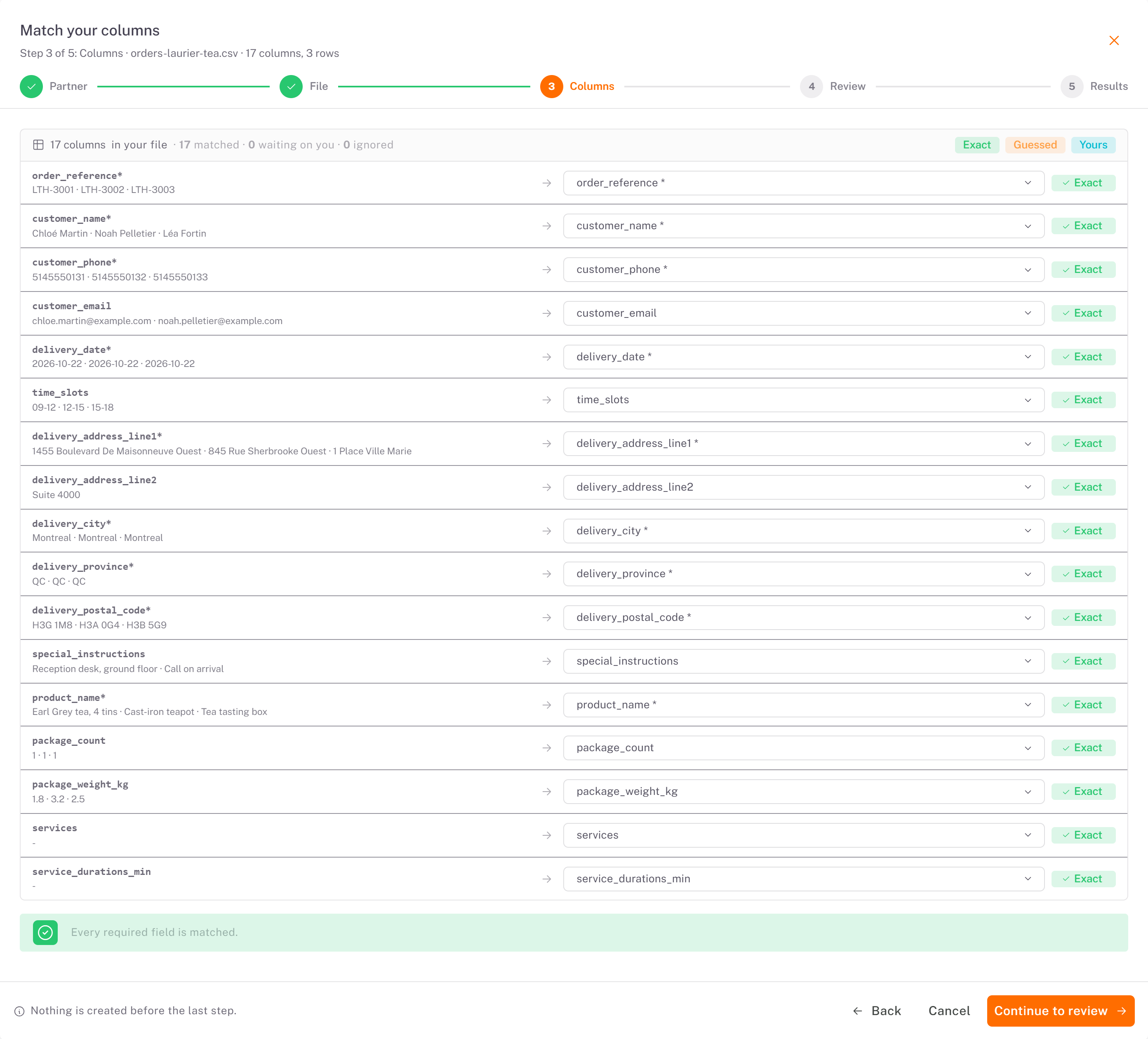
4. Columns: each column of your file faces the field it fills. A green Exact means the name matched; Guessed means Dropioo suggested it, check it; you can change any match from its list. Every required field must be matched. Click Continue to review.
5. Review: the line above the list counts the orders and packages, how many are to fix and how many are fine. Orders that do not pass the creation rules come first, in red, with the faulty field marked: fix them in the table (edit icon) or remove them from the import. The import cannot continue while one remains. Then click Submit N orders.
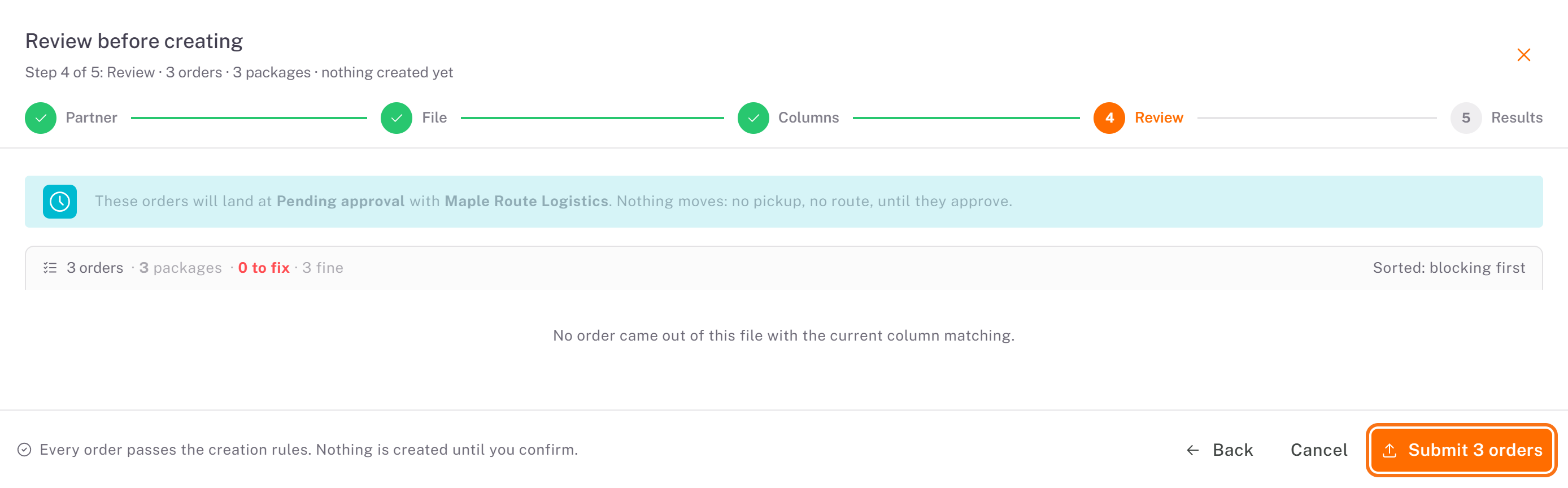
6. Results: the number of orders created and failed. Click Finish.
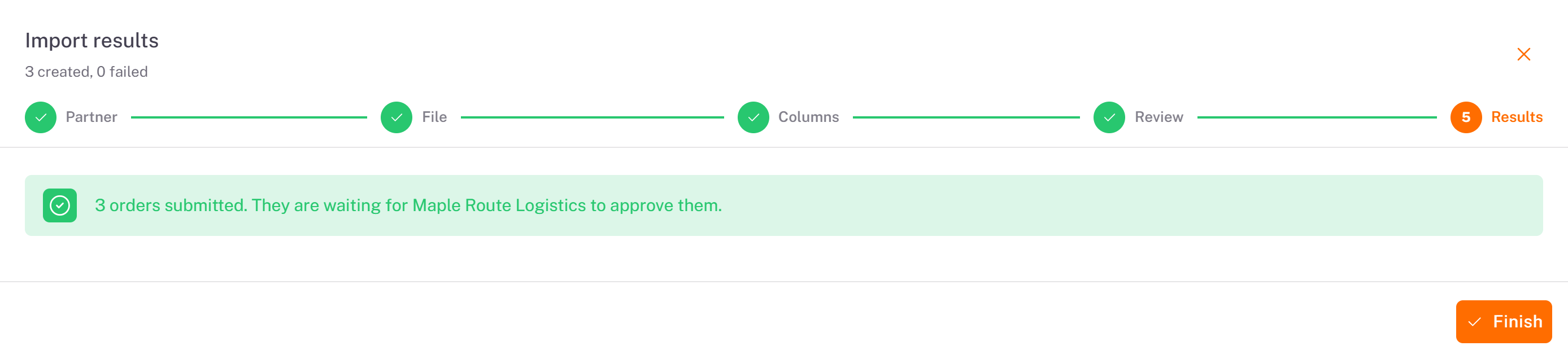
Result
The orders appear in My orders with the status Pending Approval, like an order entered by hand. Print their labels from the list (labels icon).
Good to know
One row per package. Several rows with the same
order_referencemake one order with several packages.The required columns of the simple template are
order_reference,customer_name,customer_phone,delivery_date(YYYY-MM-DD),delivery_address_line1,delivery_city,delivery_province,delivery_postal_codeandproduct_name.time_slotstakes 3-hour windows such as09-12; separate several windows with|, for example13-16|16-19.The file stays staged for a limited time, shown at the bottom of the window. Past that time, upload it again.
Was this article helpful?
Still need help?
Contact support