
Table of contents
Before you begin
You have a role that can manage billing.
Payments are handled by Stripe: card details are never typed into Dropioo.
Your free trial
Every new account starts with a 30-day free trial, counted from the activation of the account. The header shows Free trial: N days left with View Plans. In Billing > Subscription plan, the page reads No Active Subscription Yet until you pick a plan.

Choose a plan
1. Click Upgrade Plan (or View Plans in the header).
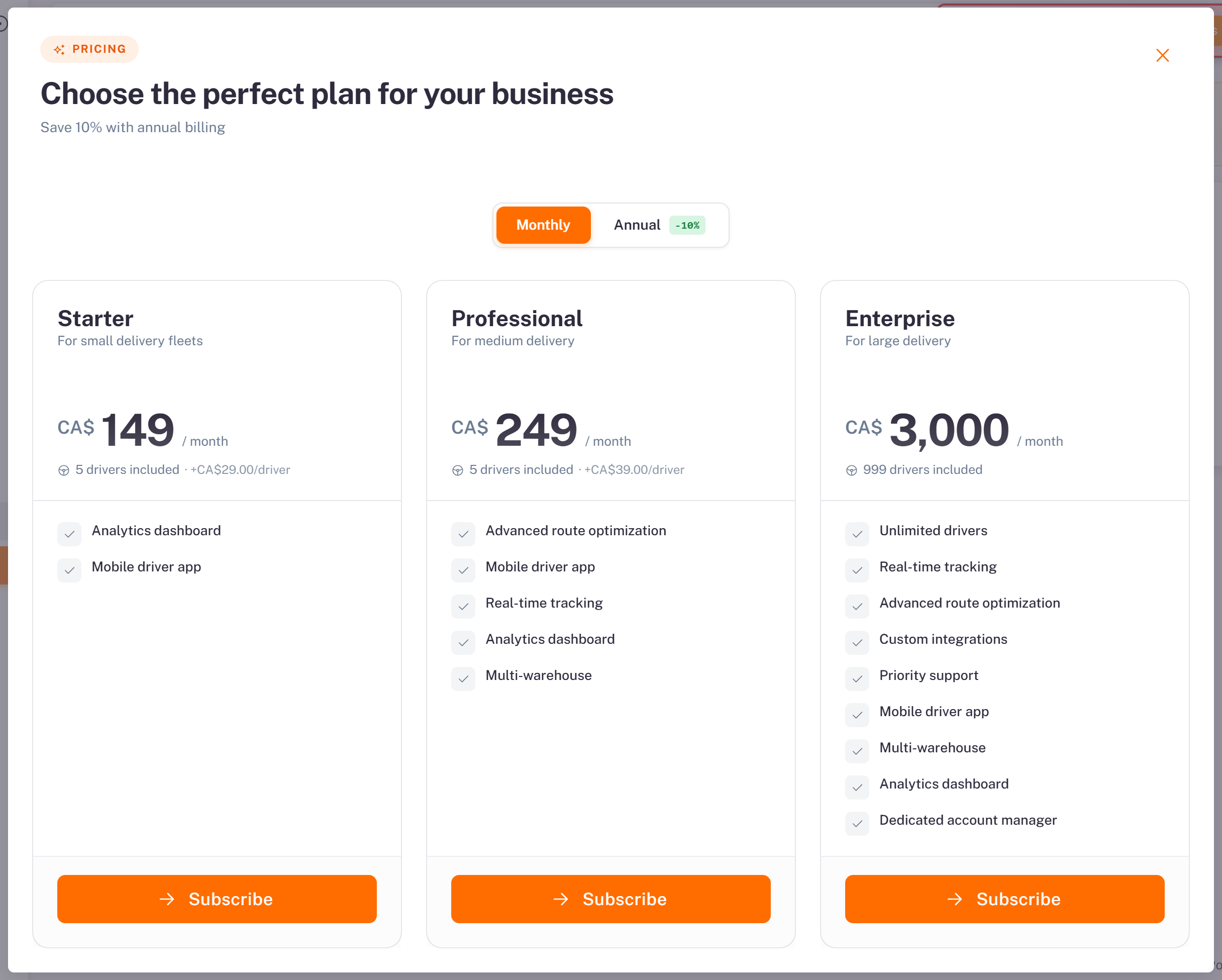
2. Choose Monthly or Annual (annual billing saves 10%), then compare the plans:
Starter: CA$149 per month, 5 drivers included, then CA$29 per extra driver.
Professional: CA$249 per month, 5 drivers included, then CA$39 per extra driver.
Enterprise: CA$3,000 per month, up to 999 drivers.
3. Click Subscribe under the plan. You pay on Stripe's secure page, then come back to Dropioo.
Follow your subscription
Billing > Subscription plan shows your Current Plan, its price, the date it is Active until, the days left in the billing cycle, and your Usage this month (orders and drivers against the plan's limits).
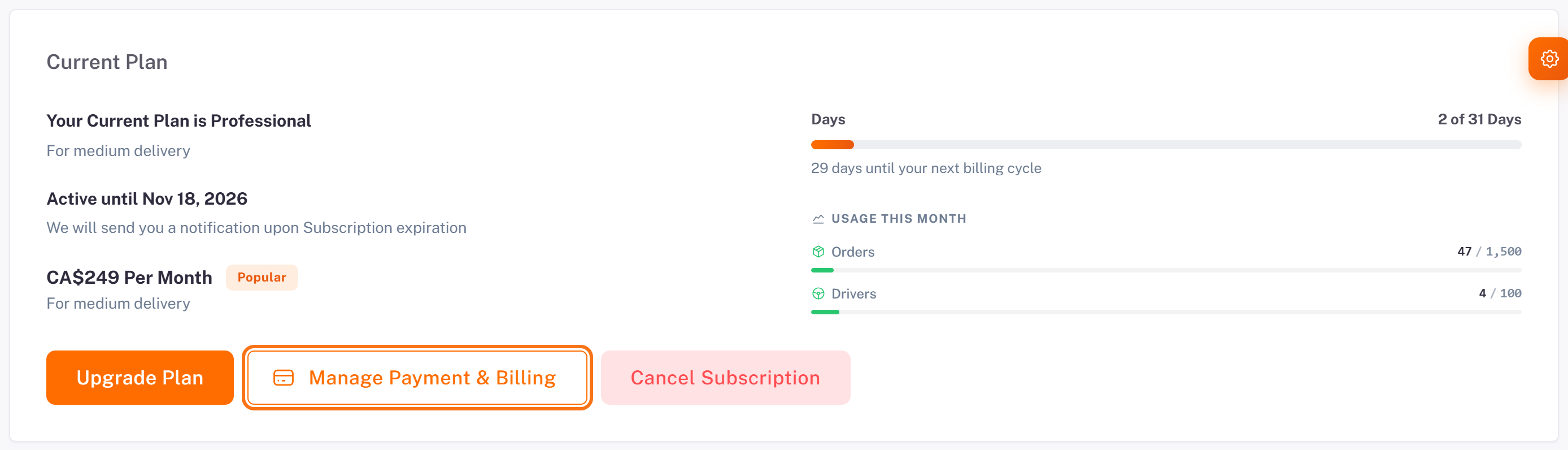
Upgrade Plan changes your plan.
Manage Payment & Billing opens the Stripe portal: card on file, invoices, billing details.
Manage your card
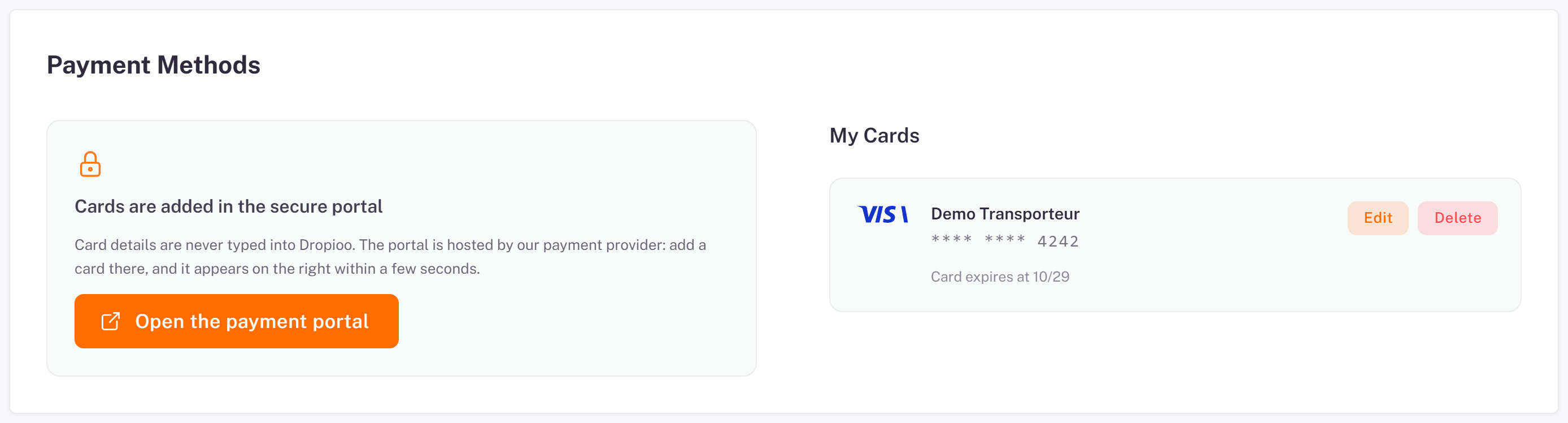
Under Payment Methods, Open the payment portal lets you add or replace a card. My Cards lists your cards, with Edit and Delete.
Cancel or resume
1. Click Cancel Subscription.
2. Add a Reason for canceling (optional), tick I understand my access will end on …, then click Yes, Cancel Subscription. Keep My Subscription closes the window.
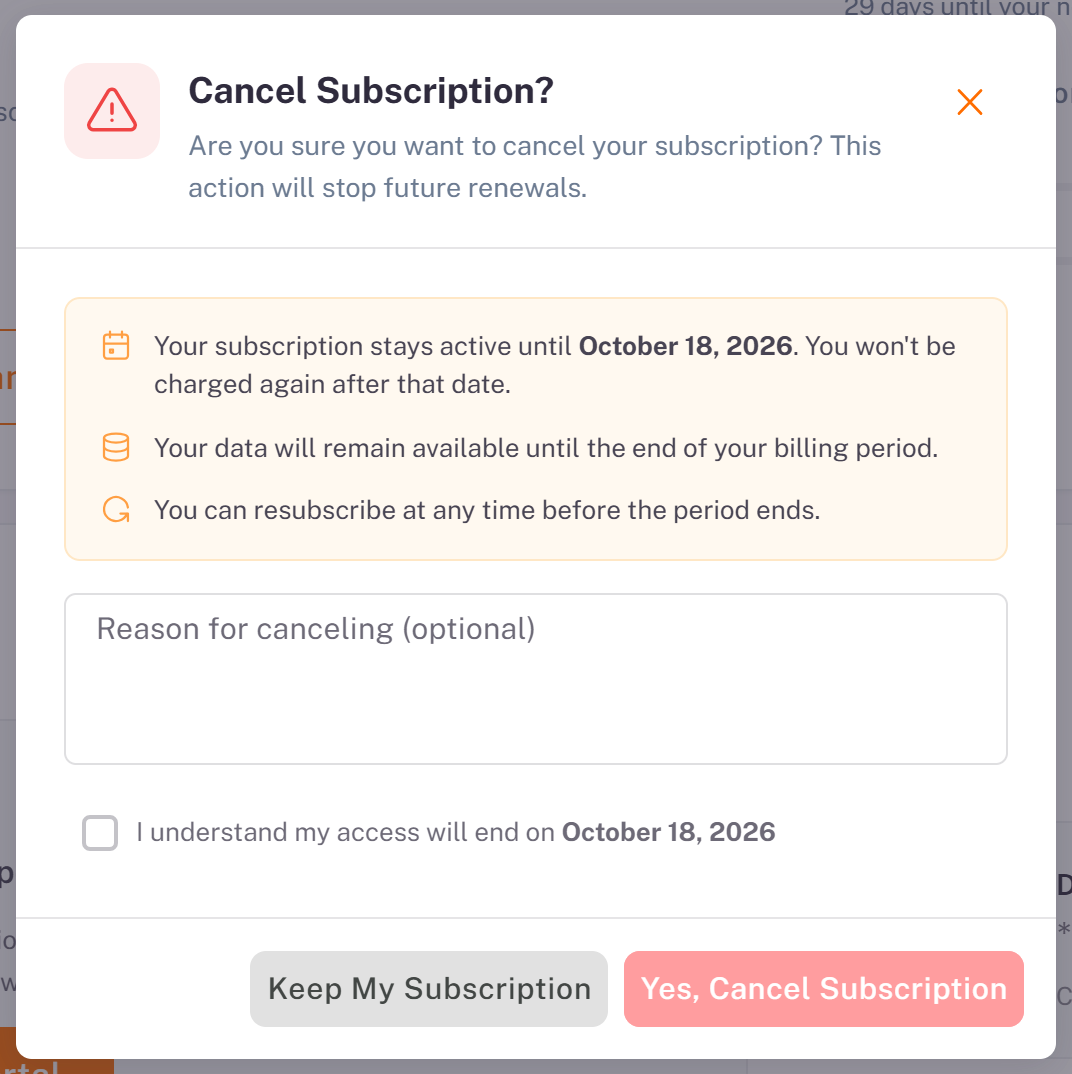
Your subscription stays active until the end of the period you paid for, and your data stays available. Until then, Resume Subscription cancels the cancellation.
Your invoices
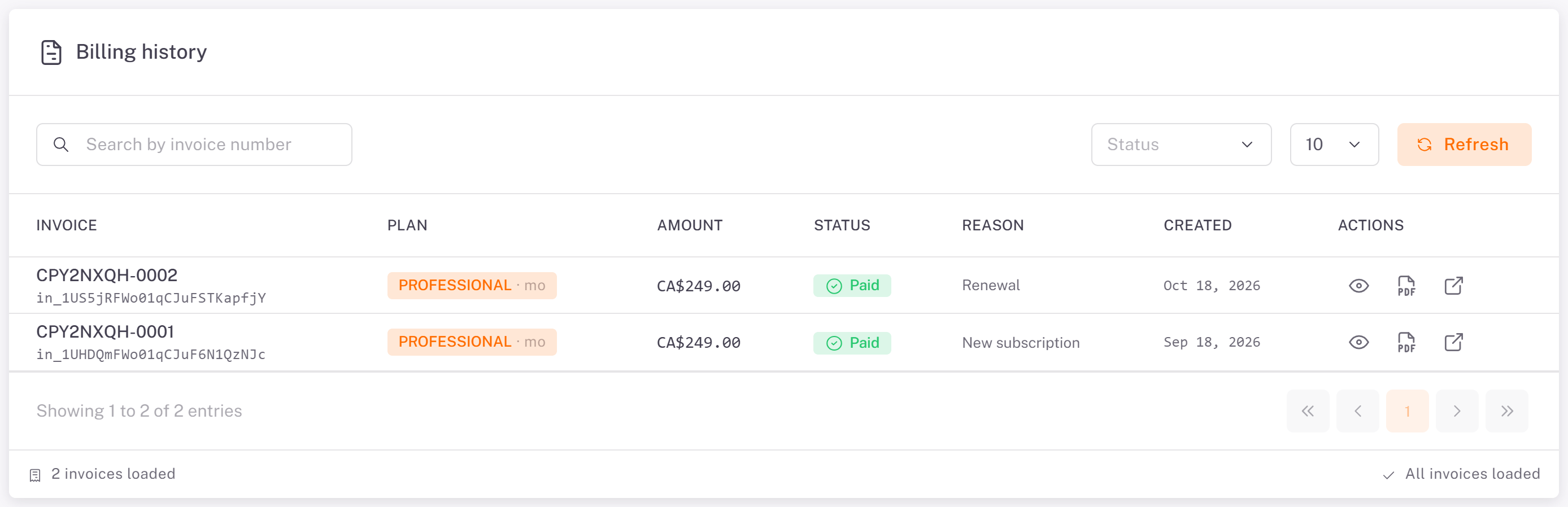
Open Billing > Invoices. The Billing history lists each invoice with its plan, amount, status (for example Paid), reason (new subscription, renewal) and date. The actions let you view the invoice, download its PDF, or open the receipt on Stripe. During the trial, there is no invoice yet.
Was this article helpful?
Still need help?
Contact support